Overview
When a CUCM call ends, Call Manager tags it with a "call termination code". These codes can indicate success, failure, network issues, or more. VoIP Detective allows you to configure alerts, so that you will be notified when these codes exceed a threshold that you configure.
How alerts work
Once per hour, at the top of the hour, VoIP Detective counts the call legs from the previous hour for each termination code. If the count for a code you are monitoring meets or exceeds your alert threshold, an email is sent to the address on the alert.
Note that CUCM alerts do not have a cooldown period: if the condition persists, you will receive one email per hour until it clears.
Create a call termination code alert
Administrators can create call termination code alerts by clicking on the Administration dropdown and selecting "CUCM Call Termination Code Alerts
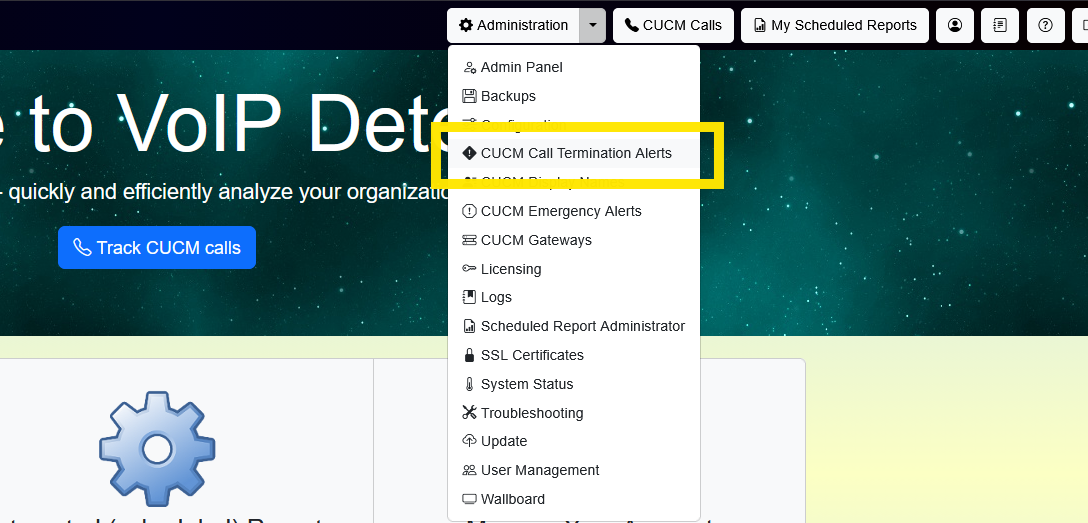
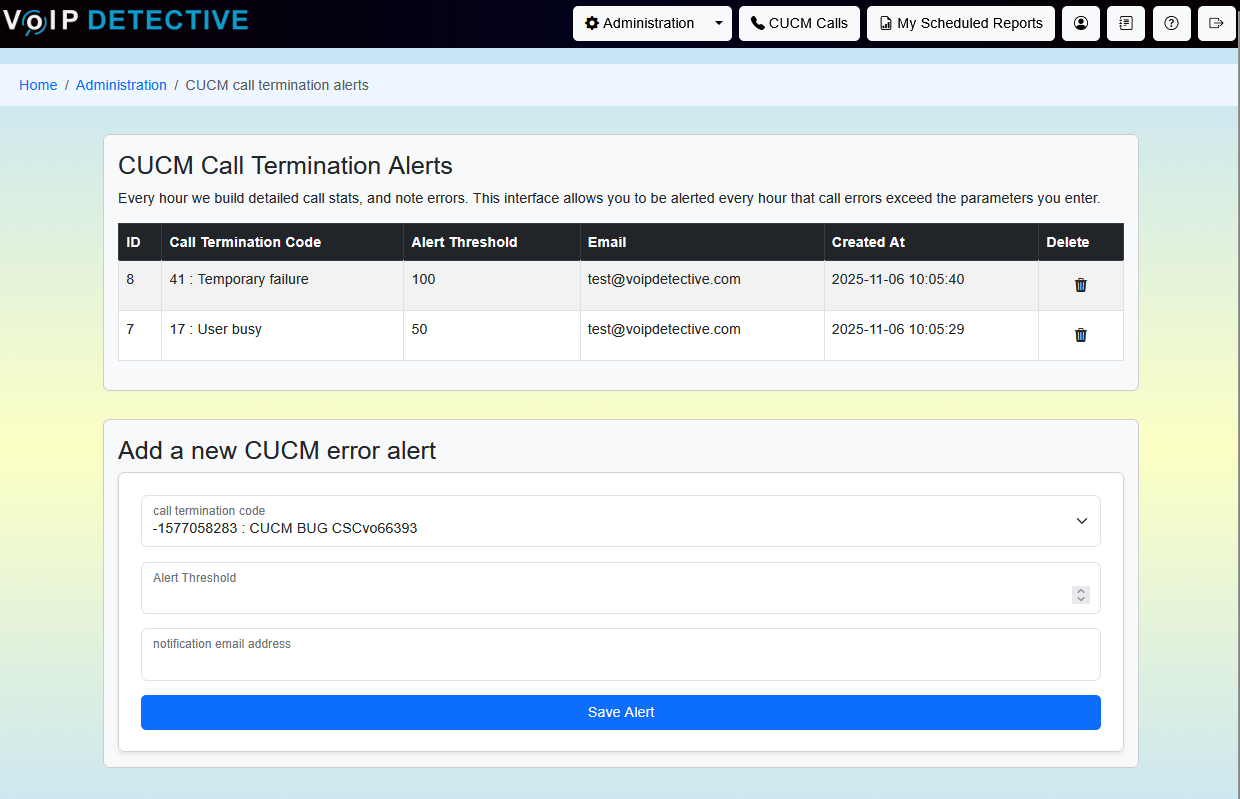
There are three bits of information that are required to configure the Call Termination Alert:
- Call Termination Code : This dropdown allows you to pick the code that you would like to monitor
- Alert Threshold : This numeric value sets the minimum number of occurrences that must happen before an alert is issued.
- Notification email address : The email destination of the alert.
The alert email
The alert email tells you how many matching call legs were detected, the termination code and its description, the one-hour time period that was examined, and the ID of the alert that fired.
Alert history
The bottom of the alerts page shows a history of every alert email this system has sent: when it fired, the termination code, how many call legs matched versus your threshold, the time period examined, and the address it was sent to.
The 100 most recent entries are shown, and the "load more" button retrieves older entries. History entries are kept for 90 days, and are preserved even if the alert that created them is later changed or deleted.
Was this article helpful?
That’s Great!
Thank you for your feedback
Sorry! We couldn't be helpful
Thank you for your feedback
Feedback sent
We appreciate your effort and will try to fix the article